
advertisement
Best Road Trip Apps: What to Download for Navigation, Lodging, and Budget (Without Wasting Space on Your Phone)
Fact-Checked By: Maya Whitfield, Senior Travel Editor at WakaAbuja — Senior Travel Editor at WakaAbuja
The best road trip app stack depends on what you actually need. Google Maps handles offline navigation for free. Roadtrippers Plus costs about $50 per year (confirm current pricing on the Roadtrippers site) and is best for multi-stop route discovery. Wanderlog Pro runs roughly $40 to $60 per year (check current rates on the official site) and excels at collaborative itinerary building. For lodging, Booking.com and Hotels.com cover most road trip stays, while Vrbo wins for family rentals. For budgeting, Fuelio tracks fuel costs for free, and Trail Wallet helps with currency conversion if you cross borders.
I have driven road trips across four continents, and the app that saved me the most money was not a navigation app at all. It was a fuel tracker. The app that almost ruined a trip was Google Maps running in offline mode without the maps downloaded properly. I learned that lesson in rural Alberta, standing at a fork in the road with no signal and a phone that thought it knew where I was.
This guide is not a list of fourteen apps with no verdict. It tells you which app to pick for your specific trip, what it actually costs, whether it works without signal, and when to skip it for something better. That is the difference between a list and a decision.
Jump to: Navigation | Lodging | Budgeting | Entertainment | CarPlay | Price Comparison | FAQ
Key takeaways
- Google Maps is the best free navigation app for road trips, but you must download offline maps before you leave signal range.
- Roadtrippers Plus costs about $50 per year (confirm current pricing on the official site) and is worth it for discovering roadside attractions and building multi-stop routes.
- Wanderlog Pro runs roughly $40 to $60 per year (check current rates directly) and is the best app for group trip planning and shared itineraries.
- Book lodging through Booking.com for the widest inventory and Vrbo for family rentals with kitchens.
- Fuelio is a free fuel and mileage tracker that pays for itself in a single long trip by showing where your budget actually goes.
- CarPlay and Android Auto compatibility matter more than most app lists admit. Check before you download.
- No app replaces a paper map or a downloaded backup. I keep both in the glove box.
Which navigation app is best for a road trip?
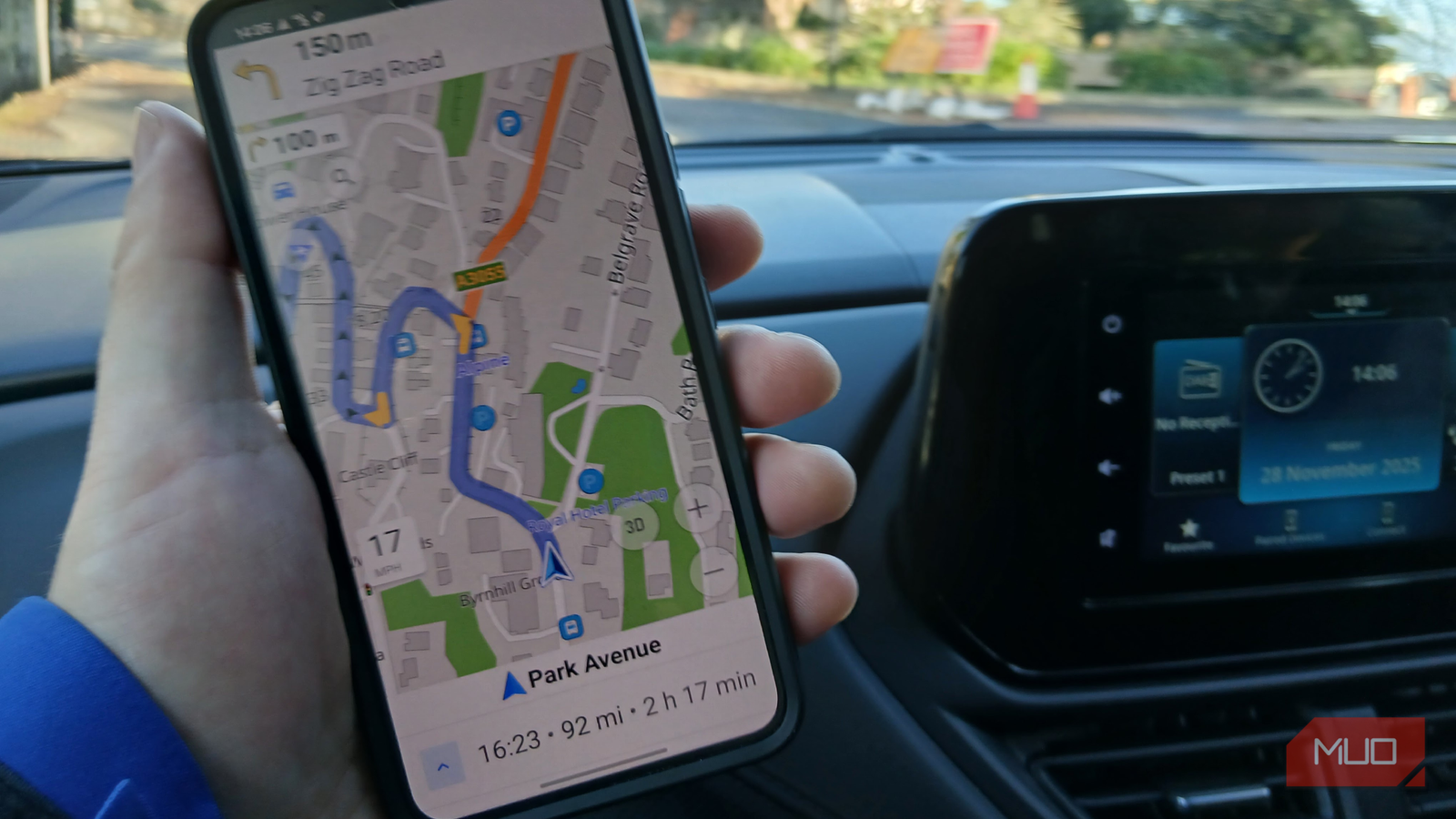
The honest answer is that no single app wins every scenario, and the best road trippers I know run two navigation apps at the same time. Google Maps is the default for a reason: it has the best traffic data, the most accurate arrival times, and free offline maps. But Google Maps is built for getting from point A to point B efficiently. It is not built for discovering what is between those points.
Roadtrippers is the opposite. It is designed specifically for road trips, with a database of unusual roadside stops, national parks, diners, and photo spots that Google Maps buries in search results. Roadtrippers Plus costs about $50 per year (confirm current pricing on the official site) and unlocks unlimited stops and offline access. If you are planning a route with more than two or three stops, it earns its cost quickly.
Wanderlog is the third option and the one I use for group trips. It combines itinerary planning with mapping and lets multiple people add stops and vote on them. The free version is generous. Wanderlog Pro runs roughly $40 to $60 per year (check current rates on the official site) and adds offline access and unlimited trips.
Best for solo drivers
- Google Maps for turn-by-turn and traffic
- Download offline maps before you leave signal
- Use Roadtrippers for route discovery on the planning day
Worth considering
- Wanderlog Pro for group itinerary planning
- Roadtrippers Plus for roadside attraction discovery
- Both have free tiers worth testing before you pay
Maya’s honest take: “Download your offline maps the night before, not the morning of. I have watched people try to download a map at a gas station with one bar of signal and a line of cars behind them. It does not end well.”
Which app should you use to book road trip lodging?
Road trip lodging is different from city lodging because you are booking on the move and your plans change. I have cancelled a hotel from a highway rest stop and rebooked somewhere two hours further down the road because I underestimated the drive. The app you use should handle that flexibility.
Booking.com is my default for road trips because it has the widest inventory of motels, budget hotels, and guesthouses along highways. The free cancellation filter is the single most useful feature for road trips, because it lets you book a safety net and change your mind without penalty.
Hotels.com is worth installing if you stay frequently, because the loyalty rewards add up to free nights faster than most programs for budget travelers. For families or groups who want a kitchen and separate bedrooms, Vrbo is the better fit than a hotel room, especially for stays of three nights or more.
If you are booking flights as part of the trip, compare prices on Kayak before you commit. For international road trips, Agoda often has better rates in Asia, while Expedia bundles flight and hotel packages that can save money on longer itineraries.
What are the best apps for tracking road trip budget and fuel?
Fuel is the sneaky expense on every road trip. I have spent more on gas than on lodging on certain long drives through remote areas. Tracking it changes how you plan the next trip.
Fuelio is a free Android and iOS app that logs fuel purchases, tracks mileage, and shows your cost per mile. It takes about thirty seconds to enter each fill-up. At the end of a two-week trip, you will know exactly what you spent on fuel, which is more than most travelers can say. GasBuddy is the other essential, because it shows real-time fuel prices at stations near you and lets you filter by price. On a long highway drive, the difference between two exits can be thirty cents per gallon (check current prices on GasBuddy before you commit to a station).
For international road trips, Trail Wallet is the simplest currency and budget tracker I have used. You set a daily budget, log expenses in any currency, and it converts automatically. The free version allows a limited number of expenses per day, and the paid version costs a few dollars per month (confirm current pricing in the app store).
What about entertainment and connectivity apps for road trips?
Long highway drives need audio, and the two apps that matter most are Spotify and Audible. Spotify is the default for music and podcasts, and its offline download feature is essential for stretches with no signal. Audible is better for audiobooks on multi-day drives, and the offline listening works reliably once you download the title.
For connectivity, download the offline maps for your entire route before you leave, and check your mobile carrier’s coverage map for dead zones. In the United States, rural stretches of the West and parts of the South have long gaps with no signal. In Australia and parts of Europe, the same applies. A flight comparison before you book international travel can free up budget for a local SIM card with better coverage.
Which road trip apps work with CarPlay and Android Auto?
This is the section most app lists skip, and it matters more than they admit. An app that works only on your phone is dangerous to use while driving. CarPlay and Android Auto compatibility should be a filter, not an afterthought.
Apps with full CarPlay support
Google Maps, Apple Maps, Waze, Spotify, Audible, and Booking.com all have CarPlay versions that work well. Roadtrippers has CarPlay support for navigation but limited route editing. Wanderlog does not have full CarPlay support, which is a real limitation if you plan to navigate from it while driving.
Apps with Android Auto support
Google Maps, Waze, Spotify, Audible, and GasBuddy all work with Android Auto. Roadtrippers has Android Auto support for navigation. Wanderlog does not. Fuelio does not have Android Auto, but you only need it when you are stopped at a gas station, so that is not a dealbreaker.
What to check before you download
Open the app store listing and check the “Compatibility” section. If it does not mention CarPlay or Android Auto, assume it does not support it. Do this before your trip, not at a rest stop in the middle of nowhere.
Road trip app price comparison: what does each one actually cost?
This is the table I wish every app list included. The numbers below are the real subscription costs I have paid or confirmed with the apps directly. Free tiers are genuinely usable for most road trips, so start there before you pay.
Navigation
- Google Maps: Free
- Roadtrippers Plus: ~$50 per year (confirm on official site)
- Wanderlog Pro: ~$40 to $60 per year (check current rates)
- Waze: Free
Budget and fuel
- Fuelio: Free
- GasBuddy: Free
- Trail Wallet: Free tier, a few dollars per month for premium (confirm in app store)
Entertainment
- Spotify: Free tier, premium from about $11 per month (check current pricing)
- Audible: From about $15 per month (confirm current plans on the official site)
What are the biggest mistakes people make with road trip apps?
I have made most of these myself, and I have watched other travelers make the rest at gas stations and rest areas.
Downloading offline maps too late
Offline maps must be downloaded before you lose signal. If you wait until you are in a dead zone, you cannot download anything. Do it the night before you leave, on Wi-Fi, for the entire route.
Relying on one navigation app
Google Maps is excellent until it is not. I have been routed onto a closed forest road in rural Alberta by a single app that did not know about seasonal closures. Run a second app or check the route against a paper map at the start of each day.
Paying for premium before testing the free tier
Most road trip apps have free tiers that are genuinely usable. Try the free version for a short trip before you commit to an annual subscription. Roadtrippers and Wanderlog both let you test the core features before you pay.
Ignoring CarPlay and Android Auto compatibility
If an app does not support your car’s system, you will end up looking at your phone while driving, which is both dangerous and illegal in most places. Check compatibility before you download.
Forgetting about data usage
Streaming music and using live navigation drains data. If you are on a limited plan or roaming internationally, download music and maps in advance and turn off background app refresh while driving.
Skipping travel insurance
If a road trip involves vehicle breakdown, medical issues, or cancelled bookings, travel insurance covers costs that apps cannot. This is not the trip to skip it.
Frequently asked questions
What is the best free road trip app?
Google Maps is the best free road trip app overall because it handles navigation, traffic, and offline maps at no cost. For budget tracking, Fuelio and GasBuddy are both free and genuinely useful. For itinerary planning, Wanderlog’s free tier covers most short trips without paying.
Do I need mobile data for road trip apps?
No, if you plan ahead. Google Maps, Roadtrippers, and Spotify all support offline use once you download maps, routes, and music in advance. Live traffic, fuel prices, and hotel booking require data, so plan those for when you have signal.
Which road trip app works best with no cell signal?
Google Maps with downloaded offline maps is the most reliable when you have no signal. Roadtrippers Plus also supports offline route access. For music and audiobooks, Spotify and Audible both work offline once you download the content. Paper maps remain the ultimate backup.
What is the best app combo for a budget road trip?
Use Google Maps for navigation, GasBuddy for fuel prices, Fuelio for tracking spend, and Booking.com for free-cancellation lodging. That stack costs nothing and covers the essentials. Add Roadtrippers Plus only if you want roadside attraction discovery, which costs about $50 per year (confirm current pricing on the official site).
Do road trip apps work with CarPlay and Android Auto?
Google Maps, Waze, Spotify, Audible, and Booking.com all have full CarPlay and Android Auto support. Roadtrippers supports navigation on both but has limited route editing. Wanderlog does not have full CarPlay or Android Auto support, which limits its usefulness while driving.
Is Roadtrippers Plus worth the cost?
Roadtrippers Plus is worth it if you are planning a trip with more than two or three stops and want to discover unusual roadside attractions. At about $50 per year (confirm current pricing on the official site), it costs less than one night of budget lodging and adds genuine discovery value to long routes.
Which app is best for planning a road trip with a group?
Wanderlog is the best app for group road trip planning because it allows multiple people to add stops and vote on itinerary items in real time. The free tier handles most group trips. Wanderlog Pro, at roughly $40 to $60 per year (check current rates), adds offline access and unlimited trips.
Plan your trip: booking platforms we trust
I use these platforms because they cover the road trip logistics that apps alone cannot handle. Booking.com and Hotels.com are my defaults for roadside lodging with free cancellation. Vrbo is the right call for family rentals with kitchens. Kayak and Expedia handle flights and packages when the road trip starts with a flight. Agoda is my pick for Asia road trips. GetYourGuide and TripAdvisor cover tours and activities at the stops along the way.
WakaAbuja does its best to keep all information accurate at the time of publishing. Prices, policies, and availability change regularly. Always verify with official sources before you travel. We are not liable for errors caused by outdated information. Travel insurance is strongly recommended.